
Browse all guides
Guide 08 / On the go
Use the dashboard on your phone
Follow setup, enter your address and manage availability on a smaller screen.
Screen 5 of 6
Use the calendar on mobile
The same calendar views and availability actions are available at phone width.
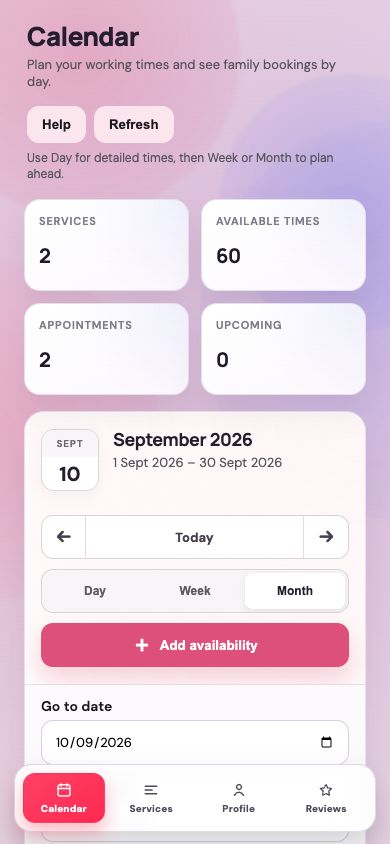
Choose your date and view
Use the compact toolbar to move through dates, choose a view or open Add availability.
Move between dashboard sections
The bottom navigation opens Calendar, Services, Profile and Reviews.
Guide updated 10 September 2026. Illustrations use sample data; your account details may differ. These guides do not create accounts, services, bookings or availability.