
Browse all guides
Guide 08 / On the go
Use the dashboard on your phone
Follow setup, enter your address and manage availability on a smaller screen.
Screen 2 of 6
See all setup steps
You can expand the progress list whenever you need to see what is saved and what comes next.
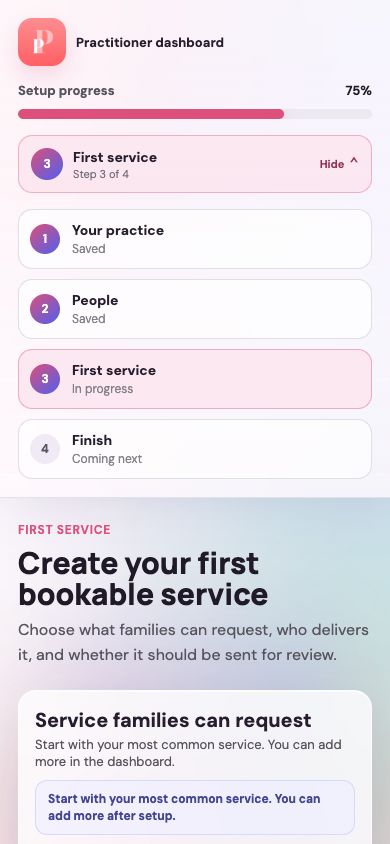
Expand or collapse the list
All steps opens the list. Hide closes it again and returns space to the form.
Read the step status
Saved identifies earlier completed steps. In progress marks the current step and Coming next shows what follows.
Guide updated 10 September 2026. Illustrations use sample data; your account details may differ. These guides do not create accounts, services, bookings or availability.