
Browse all guides
Guide 08 / On the go
Use the dashboard on your phone
Follow setup, check your address and manage availability on a smaller screen.
Screen 1 of 6
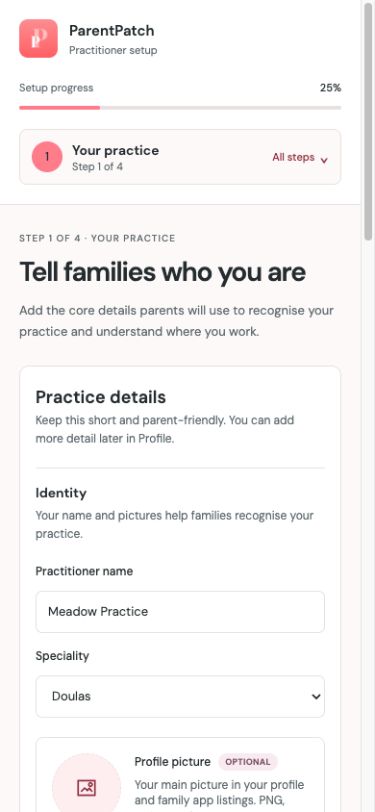
Follow setup on a small screen
On a phone, setup progress is condensed to leave room for the current form.
Check your current step
The compact control shows the step name and your place in the four-step setup. Tap All steps to expand the list.
Continue through the form
Scroll down to complete the fields and find the next-step action at the end.
Guide updated 29 October 2026. Screenshots use fictional sample data; your account details may differ. These guides do not create accounts, services, bookings or availability.