
Browse all guides
Guide 08 / On the go
Use the dashboard on your phone
Follow setup, enter your address and manage availability on a smaller screen.
Screen 4 of 6
Check your address and search distance
Enter your own full practice address. You do not need an address-lookup account or API key.
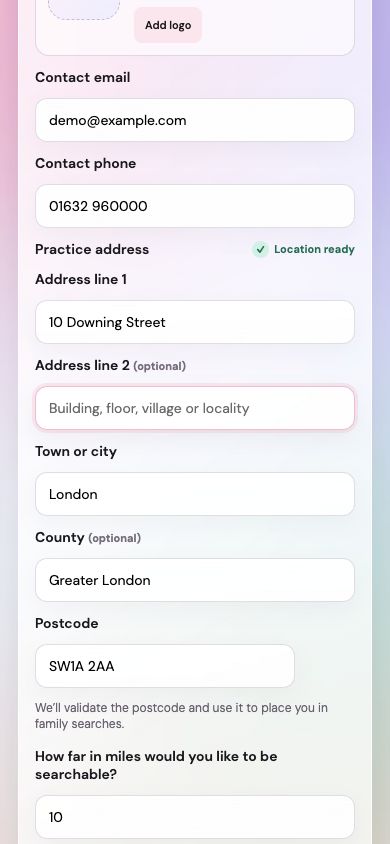
Use the individual address fields
Include your building or house number and street in Address line 1, then your town or city and postcode. Complete optional fields only when needed.
Understand the map position
Your postcode is used to look up approximate latitude and longitude for the app map. It does not confirm an exact building entrance or verify your street address.
Choose your radius in miles
Set how far away you would like to be searchable. If your postcode is rejected, check it for mistakes and try again.
Guide updated 10 September 2026. Illustrations use sample data; your account details may differ. These guides do not create accounts, services, bookings or availability.