
Browse all guides
Guide 02 / Your practice
Manage your services
Find a service, edit its details and understand its review and visibility status.
Screen 1 of 3
Find and manage your services
Open Services to find and edit your services. Use Reorder services to arrange how they appear on your profile, then save the order. Only approved, published services appear to families.
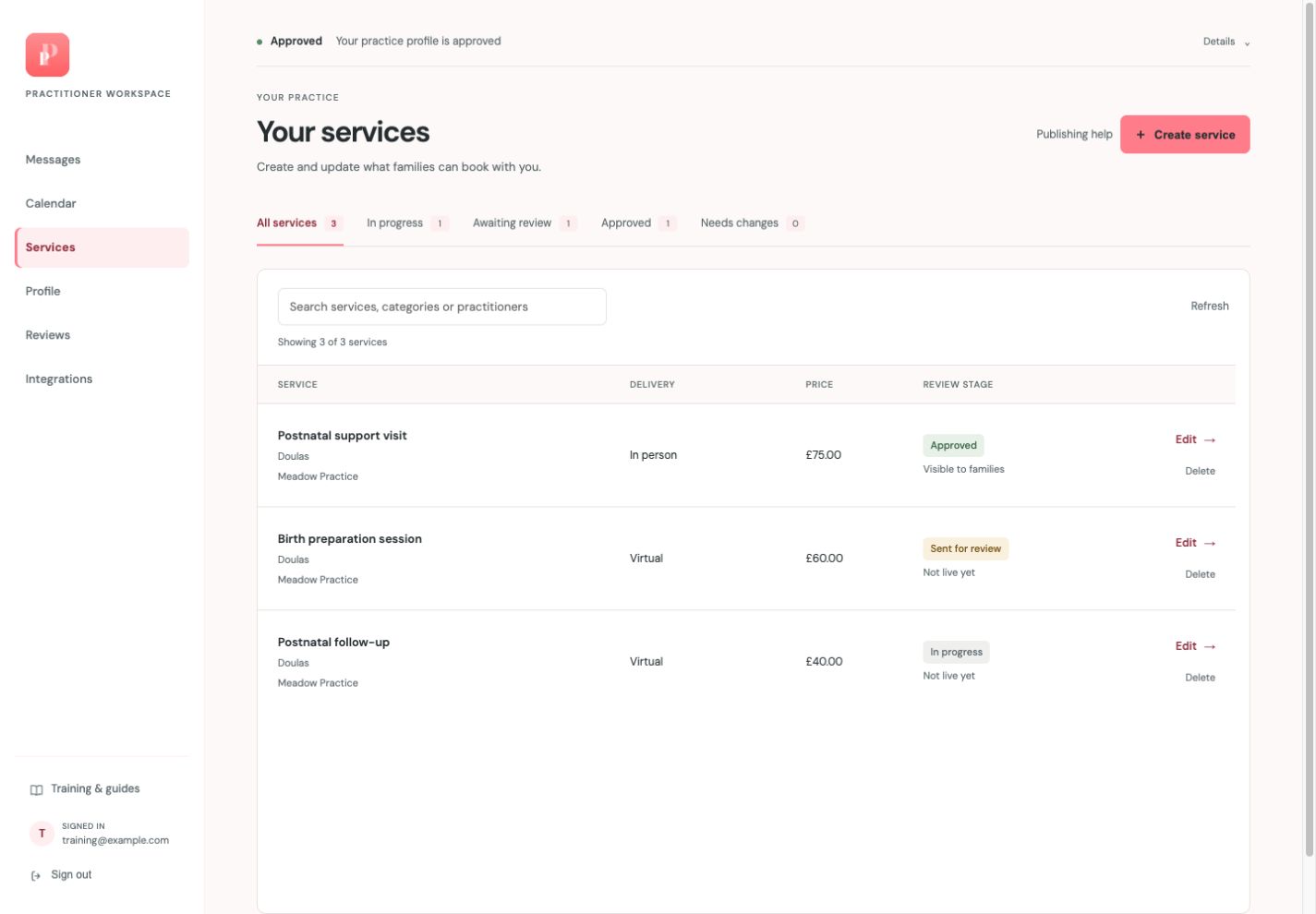
Filter by review stage
Choose All services, In progress, Awaiting review, Approved or Needs changes. The counts show how many services are in each stage.
Search or create a service
Search by service, category or practitioner. Create service opens the editor for a new offering.
Read status and visibility separately
Review stage shows progress through approval. The text beneath it explains whether the service is visible to families or not live yet.
Open the editor
Select a service name or Edit on its row. Check its delivery type, price and practitioner before adding availability in Calendar.
Guide updated 29 October 2026. Screenshots use fictional sample data; your account details may differ. These guides do not create accounts, services, bookings or availability.