
Browse all guides
Guide 08 / On the go
Use the dashboard on your phone
Follow setup, enter your address and manage availability on a smaller screen.
Screen 1 of 6
Follow setup on a small screen
On a phone, setup progress is condensed so you have more room for the current form.
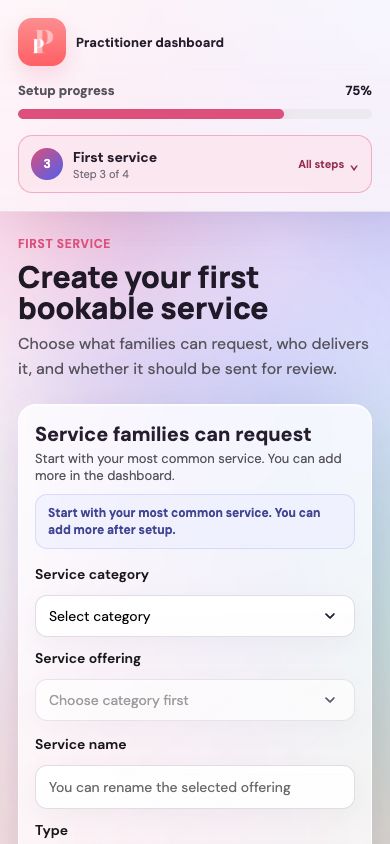
Check your current step
The compact control shows the step name and your place in the four-step setup.
Complete the form below
Scroll through the fields and use the next-step action at the end. Open All steps when you want to see the whole setup journey.
Guide updated 10 September 2026. Illustrations use sample data; your account details may differ. These guides do not create accounts, services, bookings or availability.