
Browse all guides
Guide 02 / Getting started
Set up your practice
Introduce your practice, add your team and prepare your first service.
Screen 5 of 5
Review your setup
Check the summary before opening your dashboard. You can return to edit the practice, team or first service.
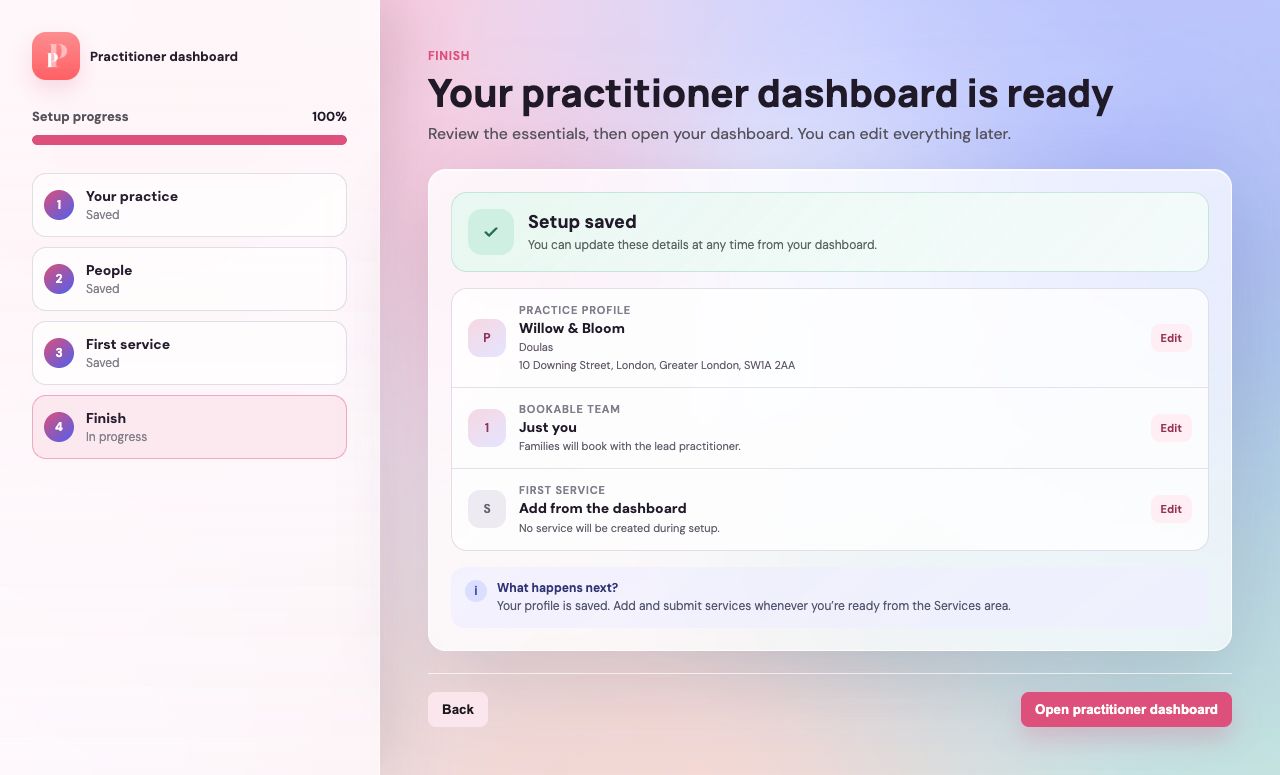
Review what has been saved
Read the confirmation and check that the summary matches the details you want families to see.
Correct anything that is missing
Use Edit beside the relevant section to go back. If you deferred your first service, the summary will say Add later.
Open your practitioner dashboard
Choose Open practitioner dashboard to finish setup. Profile, Services, Calendar and Reviews are available from the dashboard navigation.
Guide updated 10 September 2026. Illustrations use sample data; your account details may differ. These guides do not create accounts, services, bookings or availability.