
Browse all guides
Guide 02 / Getting started
Set up your practice
Introduce your practice, add your team and prepare your first service.
Screen 3 of 5
Add a person or delivery team
Make it clear who will actually deliver the appointment. You can assign services to them in the next step.
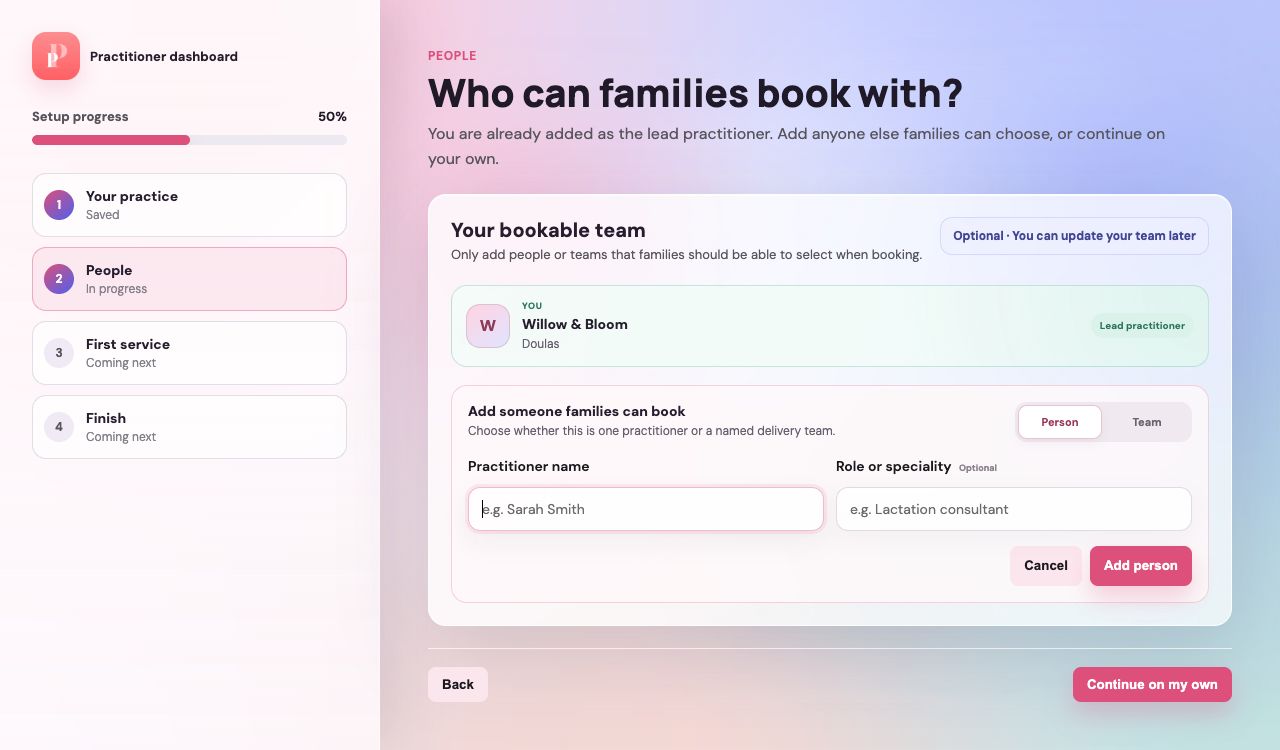
Choose Person or Team
Use Person for an individual practitioner and Team for a group that families can book with.
Use a recognisable name
Enter the person's or team's name. Add a role where it helps families understand the support they offer.
Add the person and check the list
Use the add action to include them. Cancel closes the optional form without adding the entry.
Guide updated 10 September 2026. Illustrations use sample data; your account details may differ. These guides do not create accounts, services, bookings or availability.