
Browse all guides
Guide 02 / Getting started
Set up your practice
Introduce your practice, add your team and prepare your first service.
Screen 1 of 5
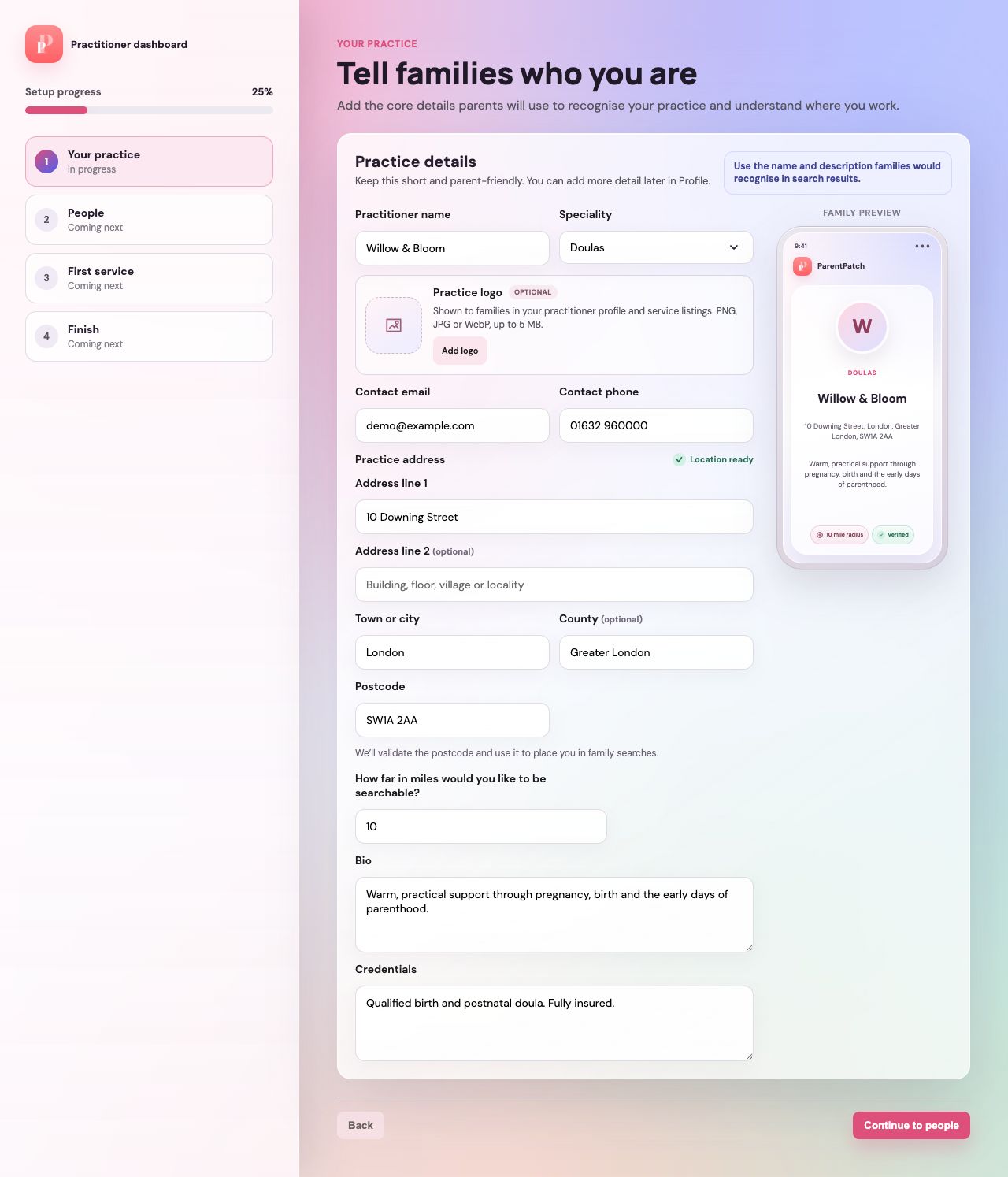
Introduce your practice
Add the details families will use to recognise you and understand where you offer support.
Add your profile picture and logo
Choose Add profile picture for your main image, then Add logo for the small circle at its bottom right. Each accepts a PNG, JPG or WebP image up to 5 MB. Change either image later in Profile → Identity.
Enter your address in the separate fields
Use the full house or building number and street, then your town or city and postcode. Address line 2 and county are optional. Check the postcode carefully before continuing.
Set how far away families can find you
Enter your search radius in miles below the address. Your postcode provides an approximate map position for family searches, not a verified pin on your building.
Check the family preview
Review your name, speciality, profile picture, logo and introduction in the preview. Continue to people when the required details are complete.
Guide updated 10 September 2026. Illustrations use sample data; your account details may differ. These guides do not create accounts, services, bookings or availability.