
Browse all guides
Guide 02 / Getting started
Set up your practice
Introduce your practice, add your team and prepare your first service.
Screen 4 of 5
Prepare your first service
Describe the support you offer, who delivers it and whether it takes place in person, online or both.
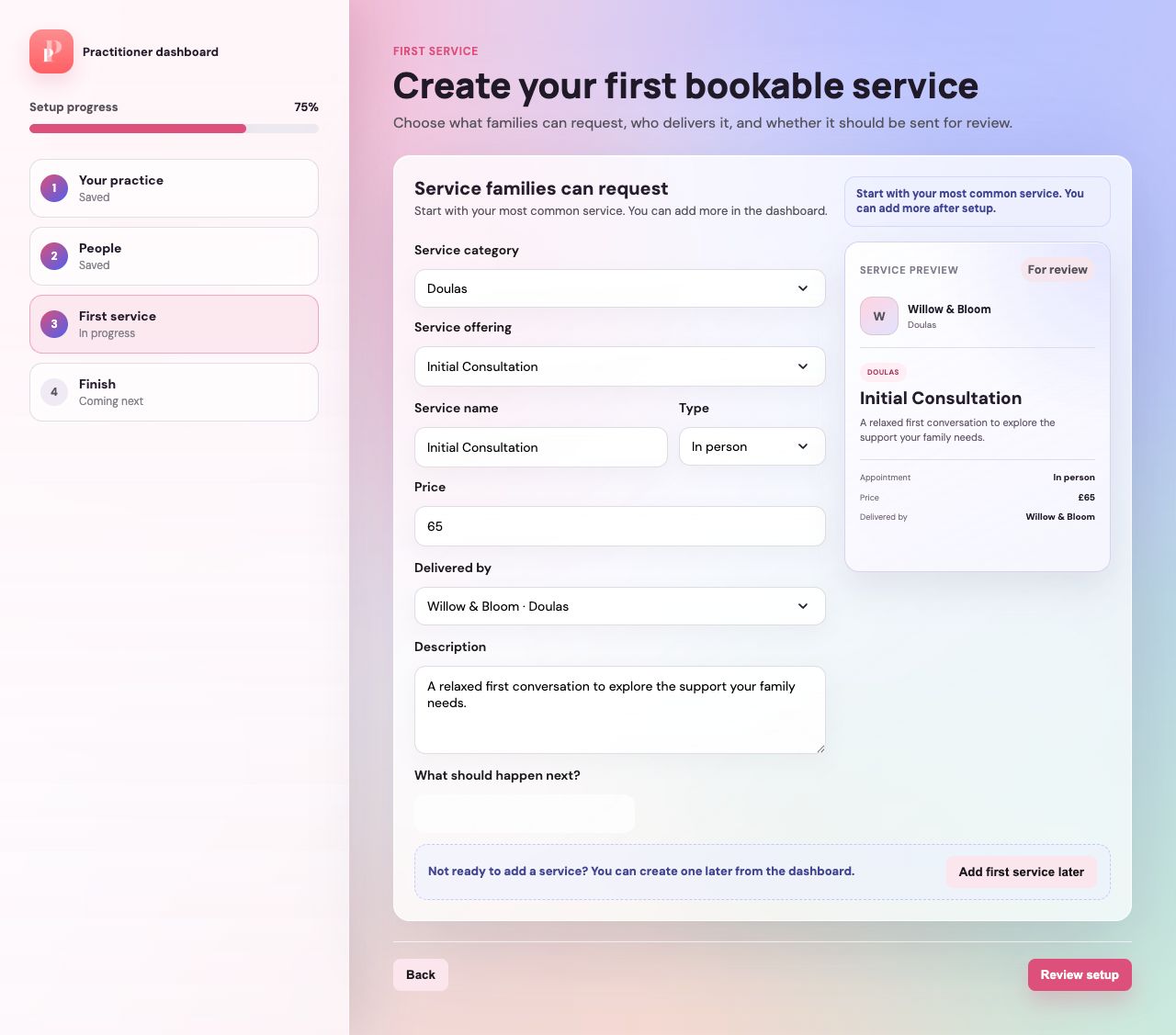
Use the preview as you write
Check the service name, description, appointment type and price in the preview on the right. Keep the wording clear for families.
Choose who delivers the service
Select the correct practitioner or team. This should match the person or team whose calendar you will make available.
Choose review, draft or add later
Use the available next-step option to send the service for review or keep it as a draft. If you are not ready, choose Add first service later; this does not create a service.
Before you continueSubmitting a service for review does not make it immediately available to families. Check its status in Services after setup.
Guide updated 10 September 2026. Illustrations use sample data; your account details may differ. These guides do not create accounts, services, bookings or availability.