
Browse all guides
Guide 02 / Getting started
Set up your practice
Introduce your practice, add your team and prepare your first service.
Screen 2 of 5
Decide who families can book with
Working on your own is a complete setup. Only add other people or teams if they deliver bookable care.
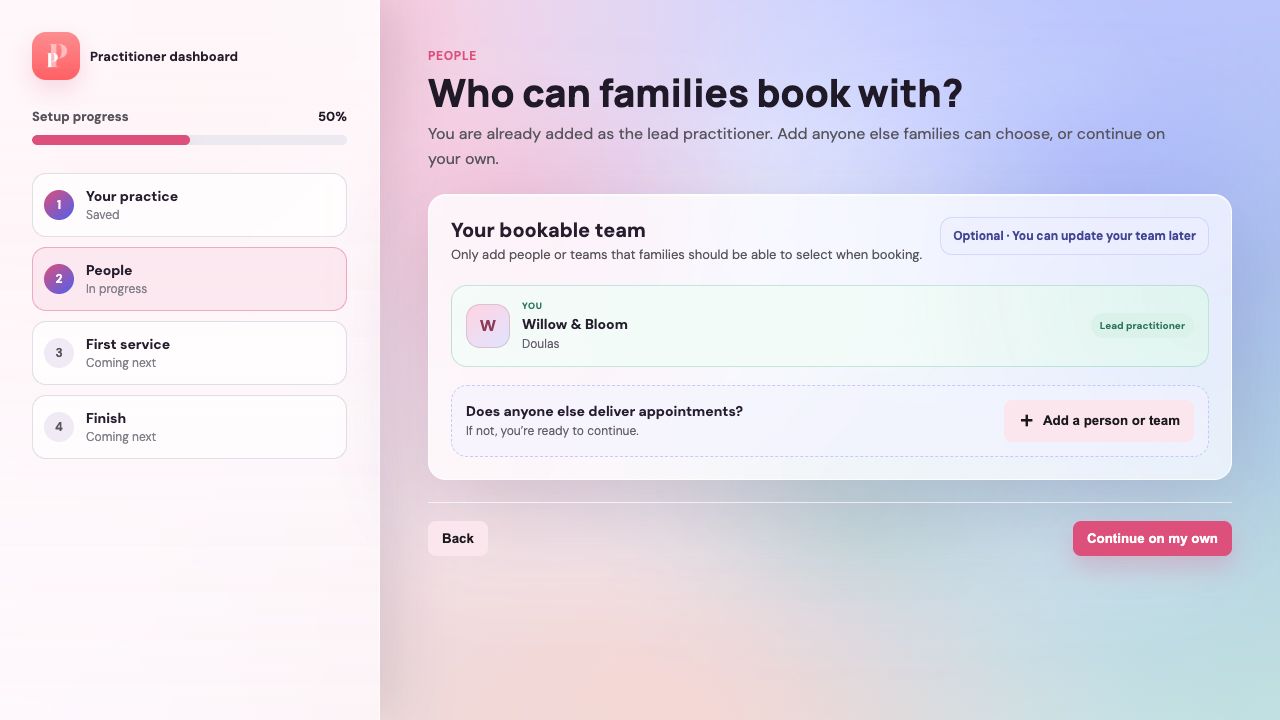
Check the lead practitioner
Your practice account is already included. You do not need to add yourself a second time.
Add another person only when needed
Open the additional-person form if another practitioner or delivery team will take appointments.
Continue on your own
If you work alone, choose Continue on my own. You can add people later from Profile.
Guide updated 10 September 2026. Illustrations use sample data; your account details may differ. These guides do not create accounts, services, bookings or availability.