
Browse all guides
Guide 06 / Bookings & availability
Set your bookable hours
Add weekly hours, make time for a one-off appointment and manage saved times.
Screen 3 of 4
Add extra hours for one date
Use one-off availability when you want to offer an extra session without changing your saved weekly hours.
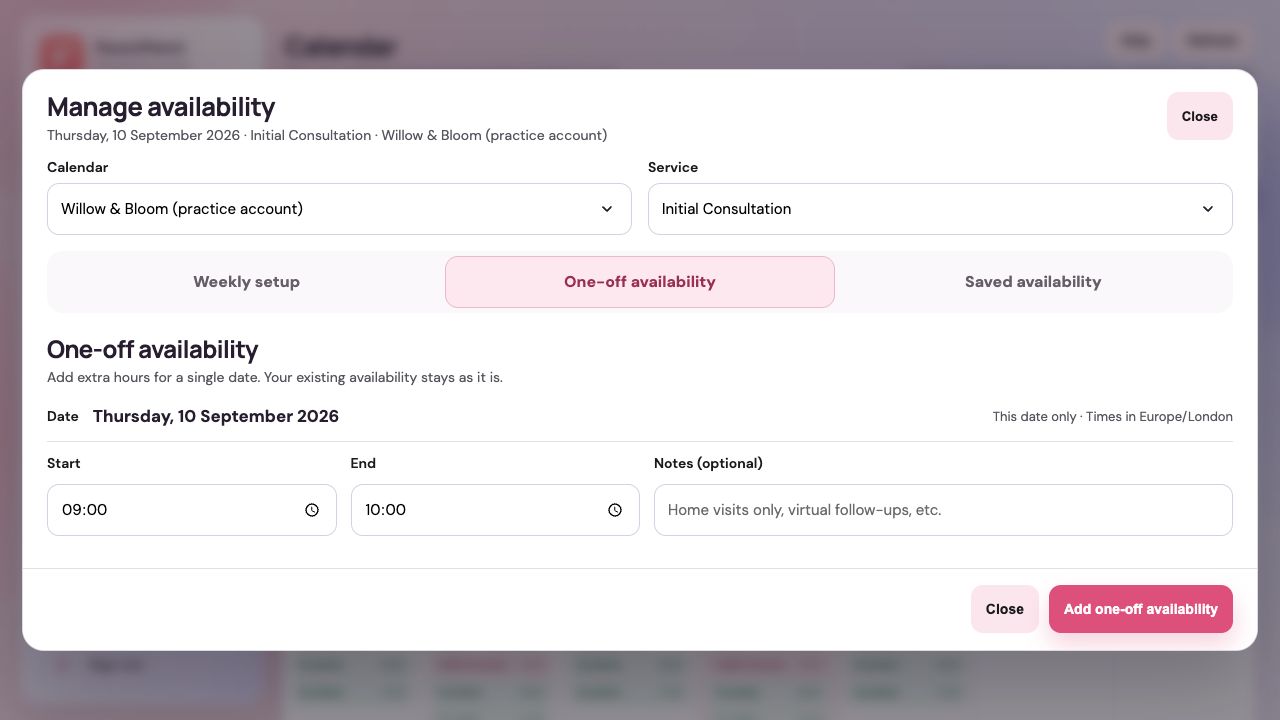
Select One-off availability
Keep the correct calendar and service selected at the top of the window.
Check the date and timezone
The hours apply only to the displayed date. Times are shown in Europe/London, so check the date when planning ahead.
Enter the time window and add it
Set a start and end time and add an optional note. Choose Add one-off availability. If an overlap error appears, review the saved hours for this service.
Guide updated 10 September 2026. Illustrations use sample data; your account details may differ. These guides do not create accounts, services, bookings or availability.