
Browse all guides
Guide 05 / Bookings & availability
Get to know your calendar
Use day, week and month views to see appointments and available hours.
Screen 2 of 3
Plan a single day
The Day view helps you see how booked appointments sit alongside your available hours.
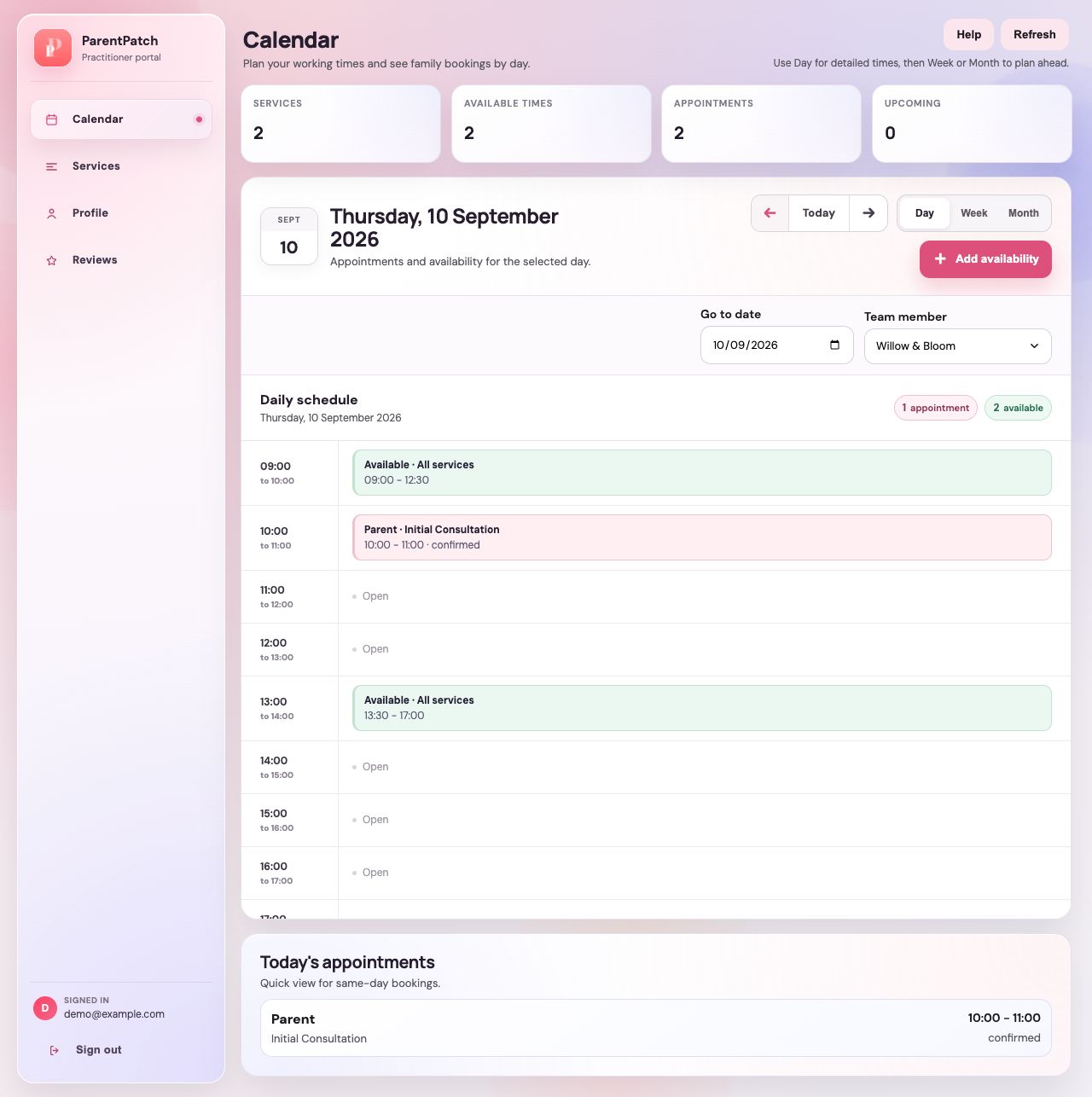
Read the time-based schedule
Use the time rows to locate appointments and working windows for the selected day.
Check the date before making changes
Keep an eye on the date above the schedule, especially when navigating away from today.
Distinguish bookings from available time
Read each entry's label. Managing availability is separate from managing an existing appointment.
Guide updated 10 September 2026. Illustrations use sample data; your account details may differ. These guides do not create accounts, services, bookings or availability.