
Browse all guides
Guide 05 / Bookings & availability
Get to know your calendar
Use day, week and month views to see appointments and available hours.
Screen 1 of 3
See the month at a glance
Open Calendar for an overview of both booked appointments and the hours you have made available.
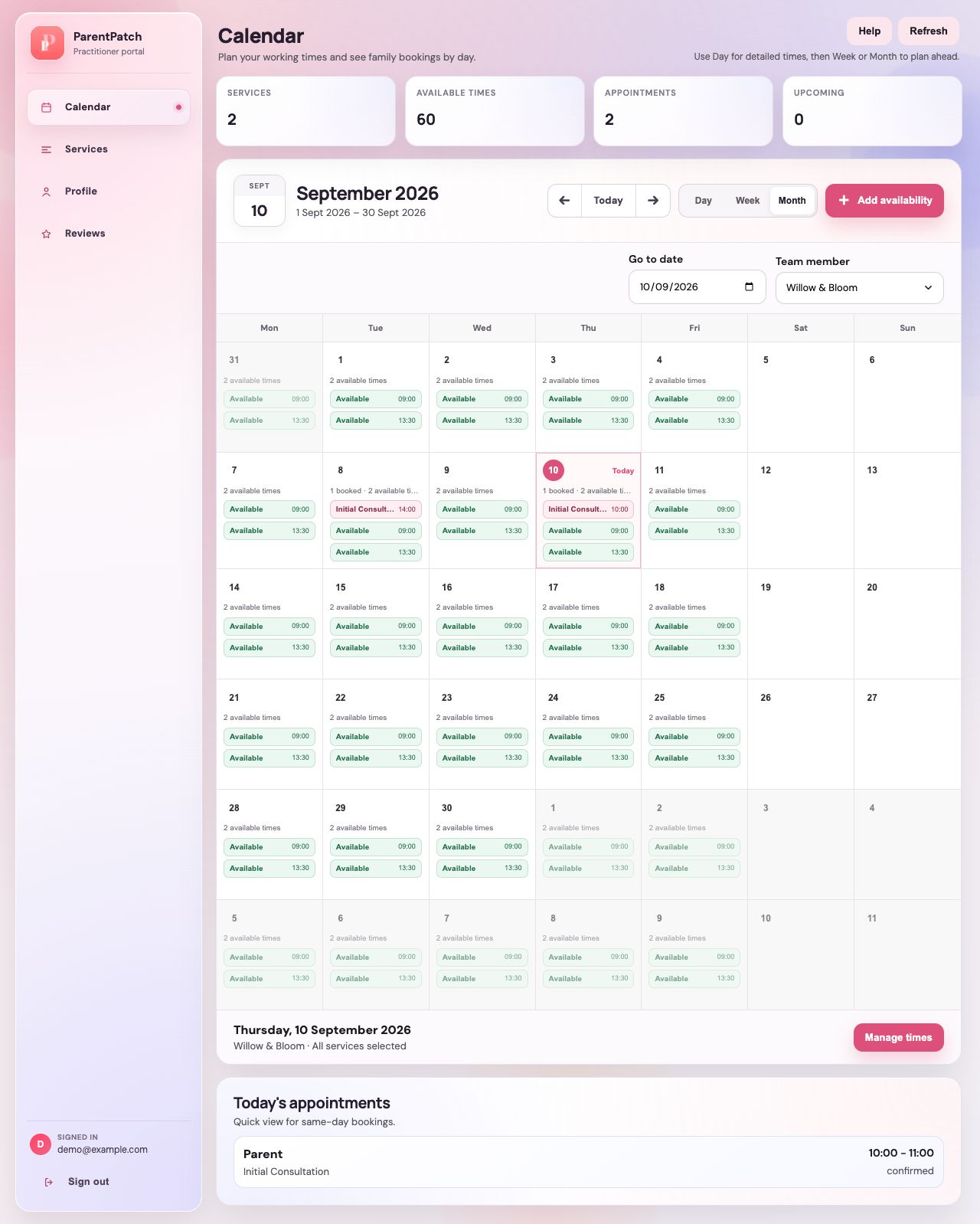
Choose the view you need
Use Month for the broad overview, Week to compare days and Day for a closer look at appointment times.
Open availability management
Choose Add availability to set bookable hours. Check the selected date, calendar and service before adding anything.
Read each day's activity
Date cells show available times and bookings. An available time is not a confirmed appointment.
Guide updated 10 September 2026. Illustrations use sample data; your account details may differ. These guides do not create accounts, services, bookings or availability.