
Browse all guides
Guide 04 / Your practice
Manage your services
Find your services and understand their review and publication status.
Screen 1 of 1
Find and manage your services
Open Services to see what you have created and which services are ready, being reviewed or still in progress.
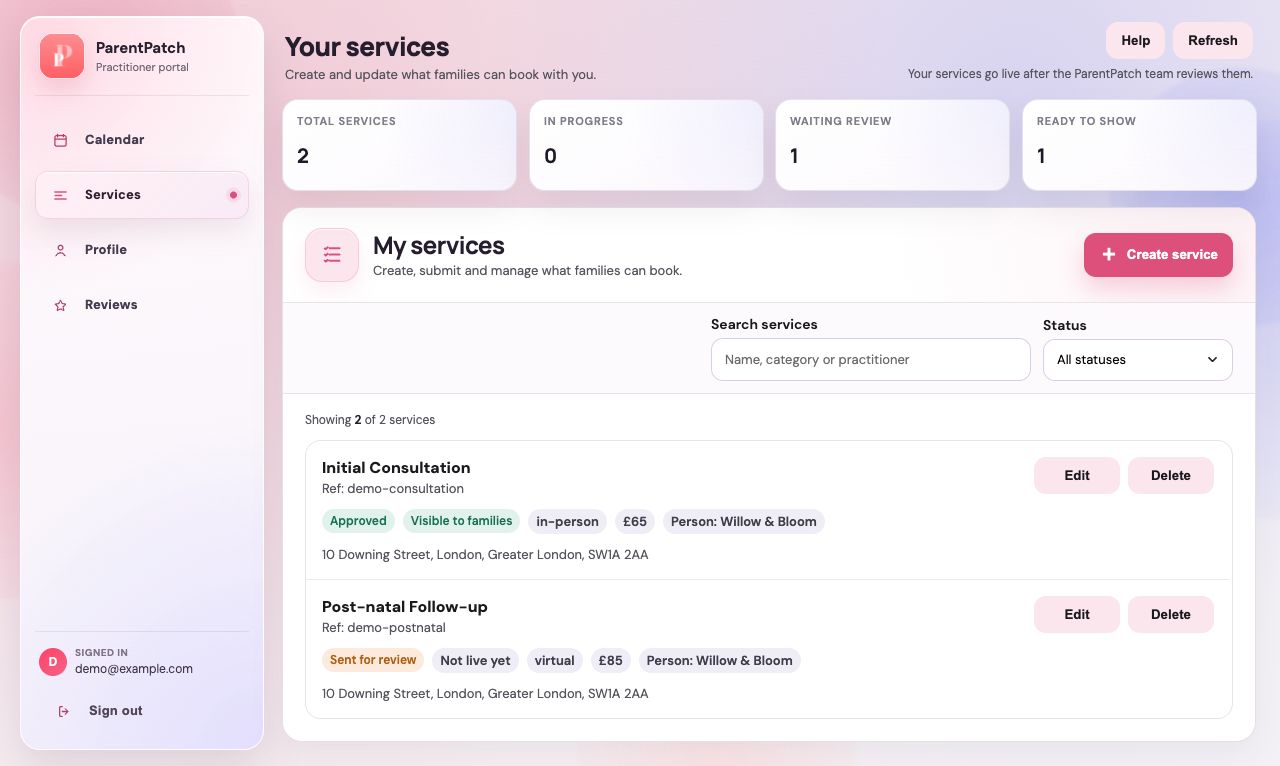
Check the status totals
In progress means a draft. Waiting review means it has been submitted. Ready to show means it has been approved. Needs changes means you should review the service details.
Find a service or create another
Use search and the status filter to narrow the list. Choose Create service when you want to add a new offering.
Check each service before making time available
Review the card's status and details. Add availability for the correct service and practitioner in Calendar so families have times to choose from.
Guide updated 10 September 2026. Illustrations use sample data; your account details may differ. These guides do not create accounts, services, bookings or availability.