
Browse all guides
Guide 03 / Your practice
Make your profile your own
Manage your logo, address and practice details, then review your performance.
Screen 2 of 2
Review practice performance
Use the Practice performance tab for a summary of the bookings and services in your account.
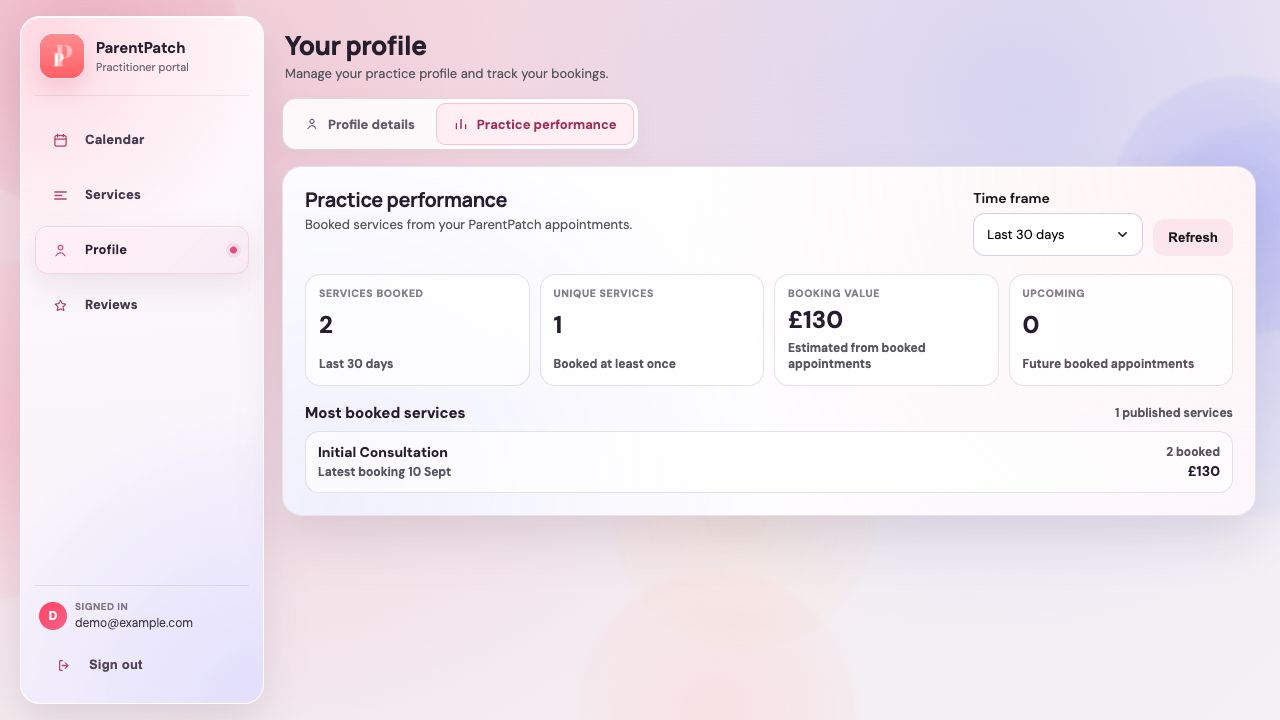
Switch to Practice performance
The second tab in Profile keeps performance information separate from your editable practice details.
Choose a reporting period
Select the time period you want to review. Check this before comparing results from different dates.
Read the overview
Review the summary figures and most-booked services. The numbers in this example are demonstration data, not targets or promised results.
Guide updated 10 September 2026. Illustrations use sample data; your account details may differ. These guides do not create accounts, services, bookings or availability.