
Browse all guides
Guide 01 / Your practice
Make your profile your own
Upload your pictures, update your details and submit saved changes for review.
Screen 2 of 3
Respond to profile review feedback
The status strip at the top of the dashboard explains whether your practice profile is approved or needs attention.
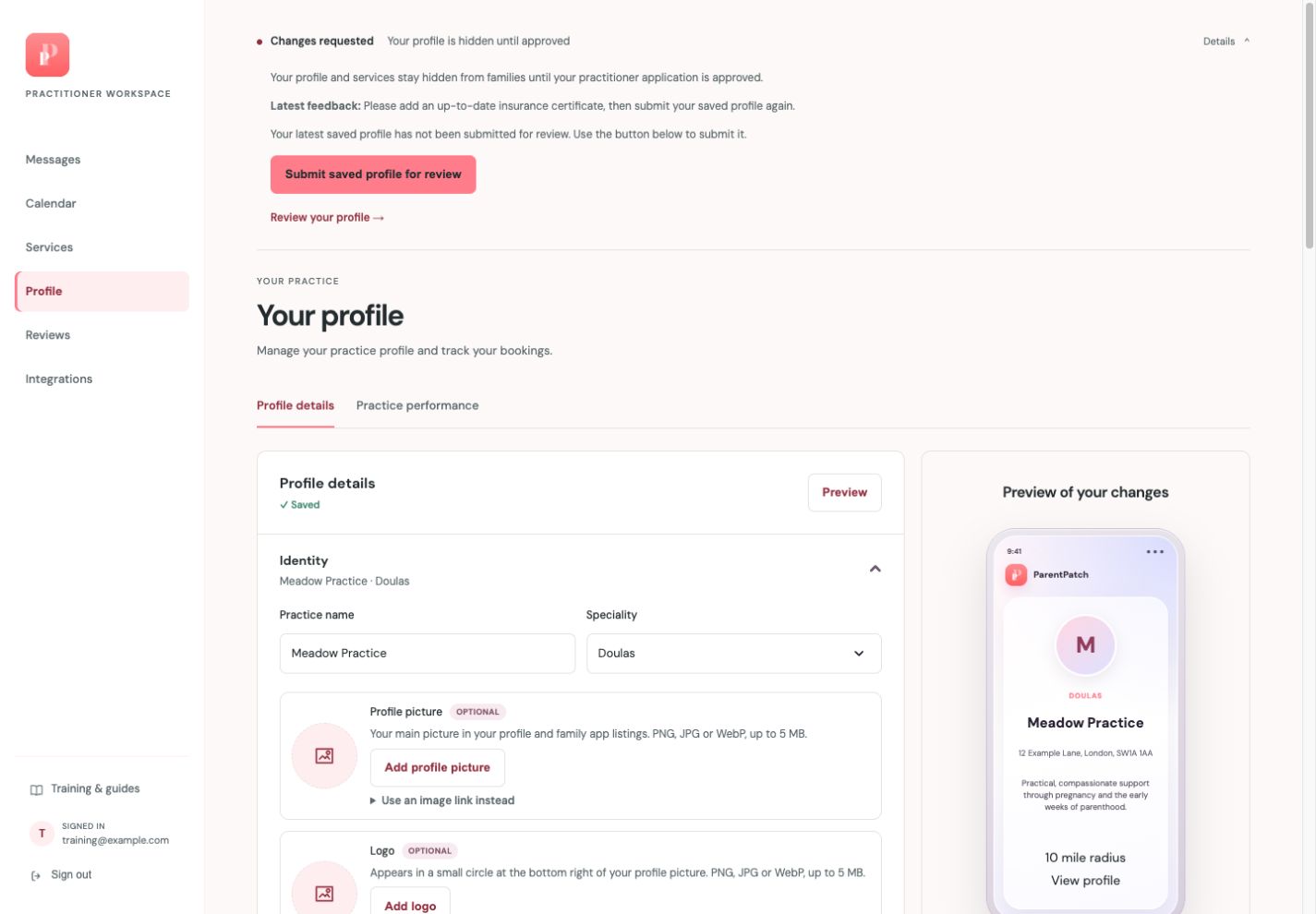
Open the review details
Select Details to expand or collapse the status. When action is needed, the feedback opens automatically.
Read the latest feedback
Follow the reviewer’s request in the relevant Profile section. Save your corrections before submitting them.
Submit your saved profile
When available, select Submit saved profile for review and wait for confirmation. This submits your saved details, not unsaved form edits.
Before you continuePractice approval and individual service approval are separate. Your profile and services stay hidden until the practice application is approved; each service must also meet its review requirements.
Guide updated 29 October 2026. Screenshots use fictional sample data; your account details may differ. These guides do not create accounts, services, bookings or availability.