
Browse all guides
Guide 05 / Families & feedback
Keep in touch with families
Find a conversation, write a reply and share an appointment from your inbox.
Screen 2 of 2
Reply and share an appointment
Keep the conversation in ParentPatch and check the selected family before sending.
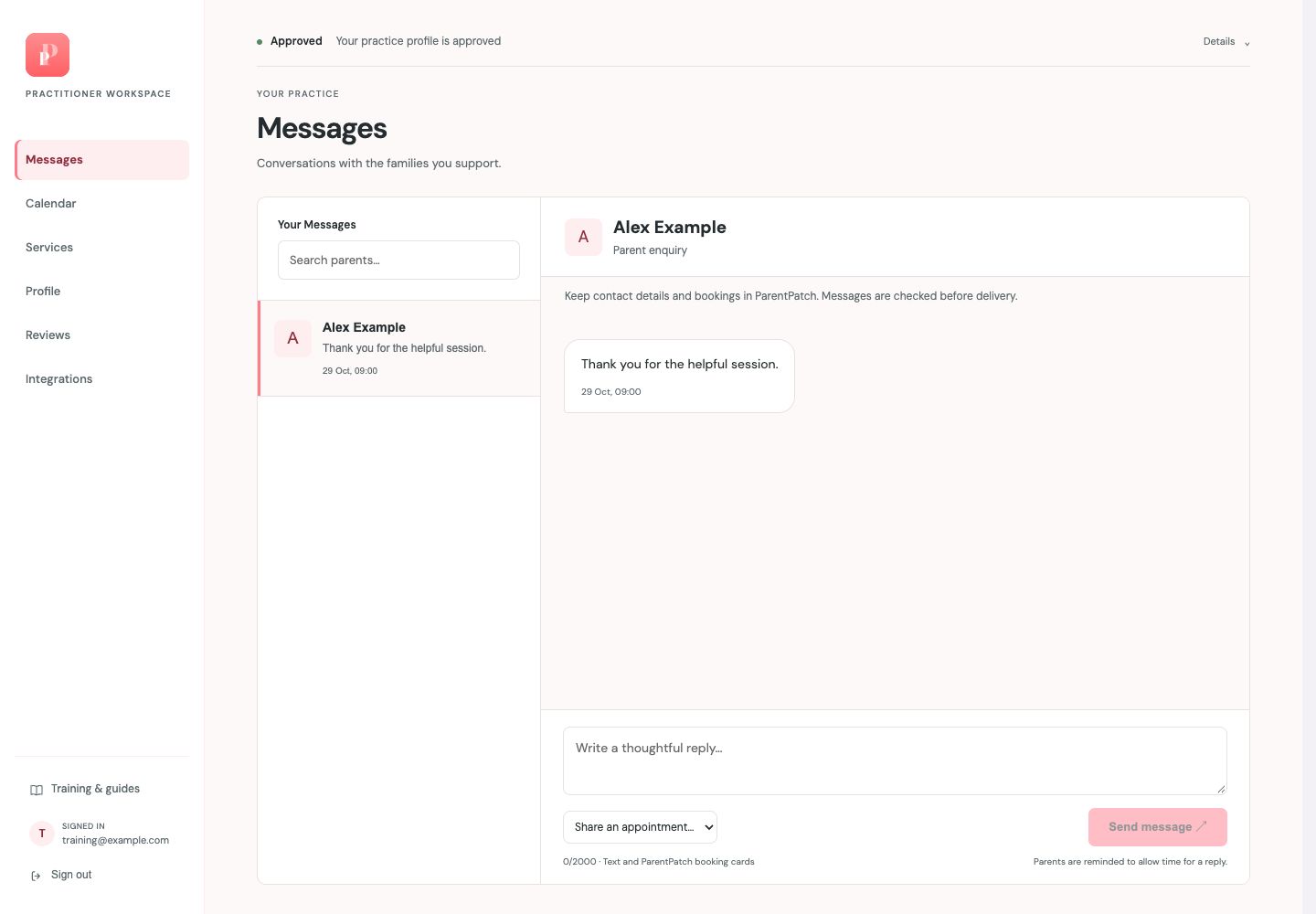
Confirm the family and read the thread
The family name appears above the messages. Read the conversation before drafting your reply.
Write your reply
Use the message box at the bottom. Keep contact details and bookings in ParentPatch; messages are checked before delivery.
Share an appointment when useful
Choose a service from Share an appointment, then select Share booking card. This sends a card so the parent can choose a time and book in the app; it does not make the booking for them.
Send when ready
Select Send message and check the resulting state. If a message is held or rejected, follow the feedback shown; do not assume it has been delivered.
Guide updated 29 October 2026. Screenshots use fictional sample data; your account details may differ. These guides do not create accounts, services, bookings or availability.